
Skip to content

Construction & contractor platforms

Software that runs the work and the people, from takeoff to pay app.

A back office built the way general contractors work: AI-assisted plan takeoff, an estimator on your cost book, projects, crews and HR, and pay applications with lien waivers. One login, plus a website that brings in bids and hires.

Built on Reactthe framework behind Facebook, Instagram, WhatsApp Web, Netflix, Airbnb and more, running in the cloud with AI built in.

  • Veteran-owned
  • 100% U.S.-based team
  • Data stored in U.S. data centers
  • Custom code that grows with you
clearcreekdevelopments.com
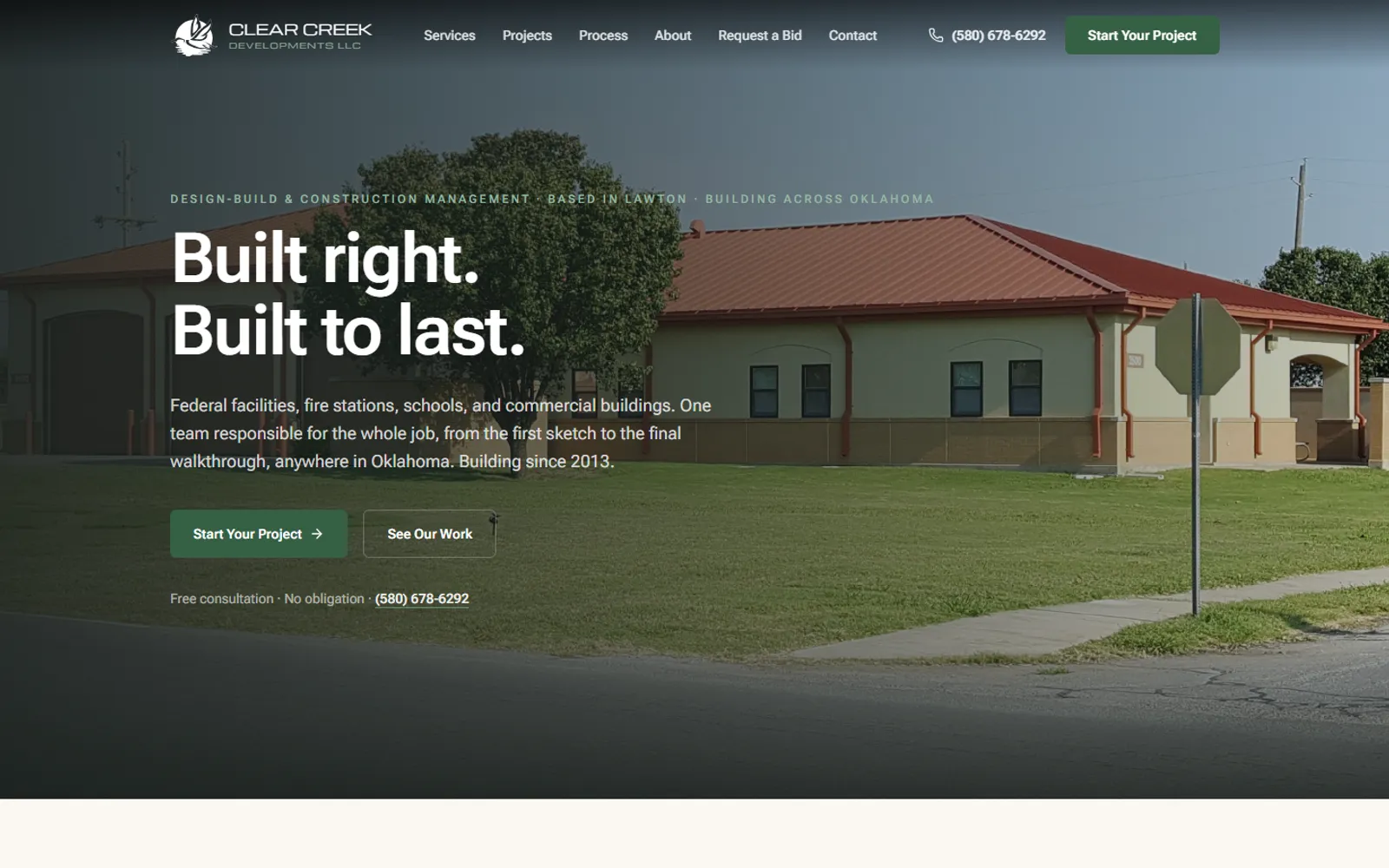
Clear Creek Developments homepage hero: 'Built right. Built to last.' over a photo of a municipal fire station the company built
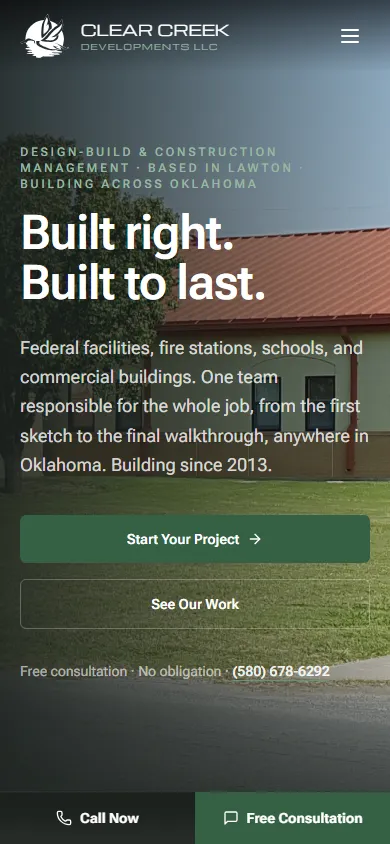
Clear Creek Developments homepage on a phone, with a sticky Call Now / Free Consultation bar at the bottom

Live client build: Clear Creek Developments

The back office, module by module

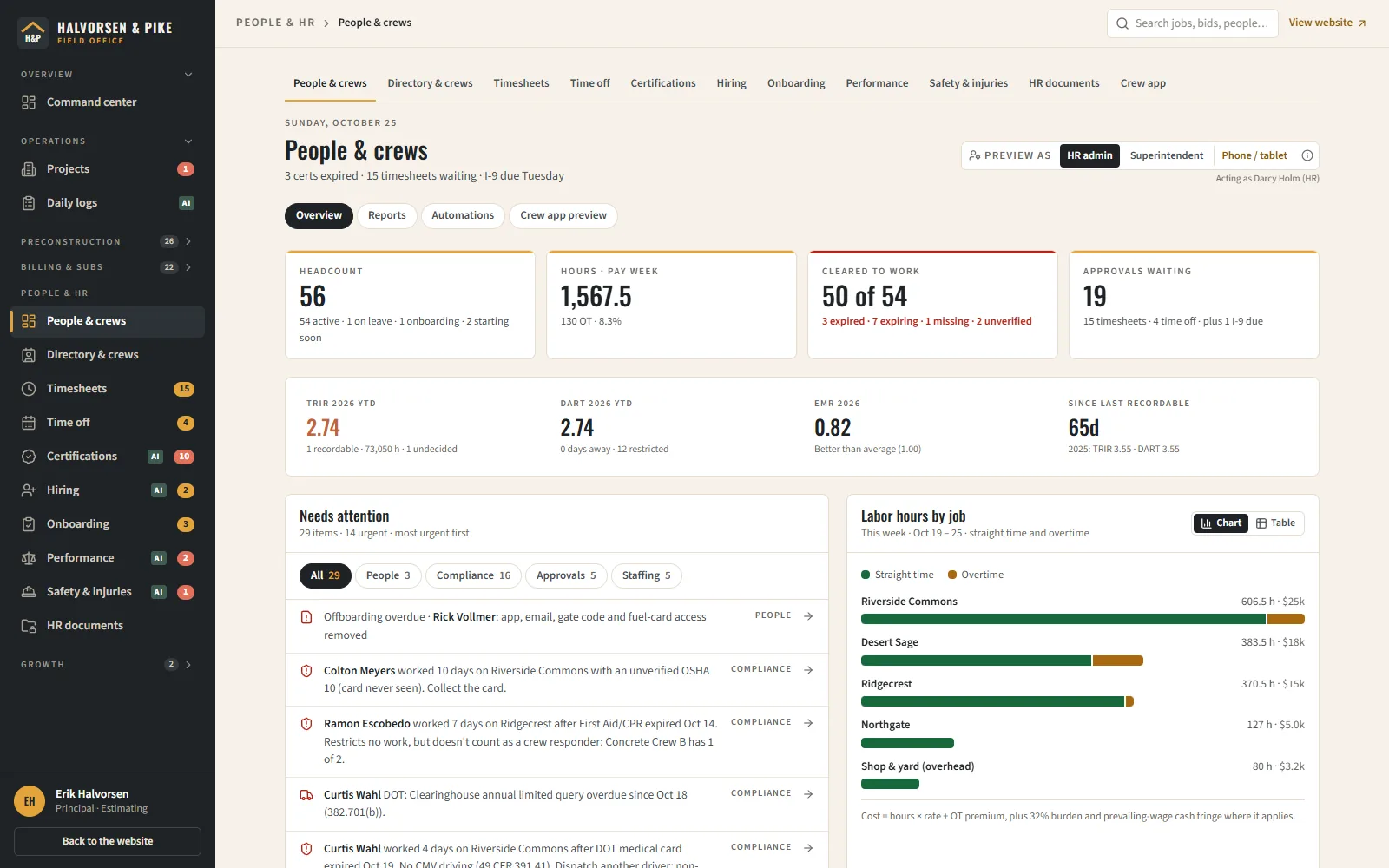
Run the work and the people.

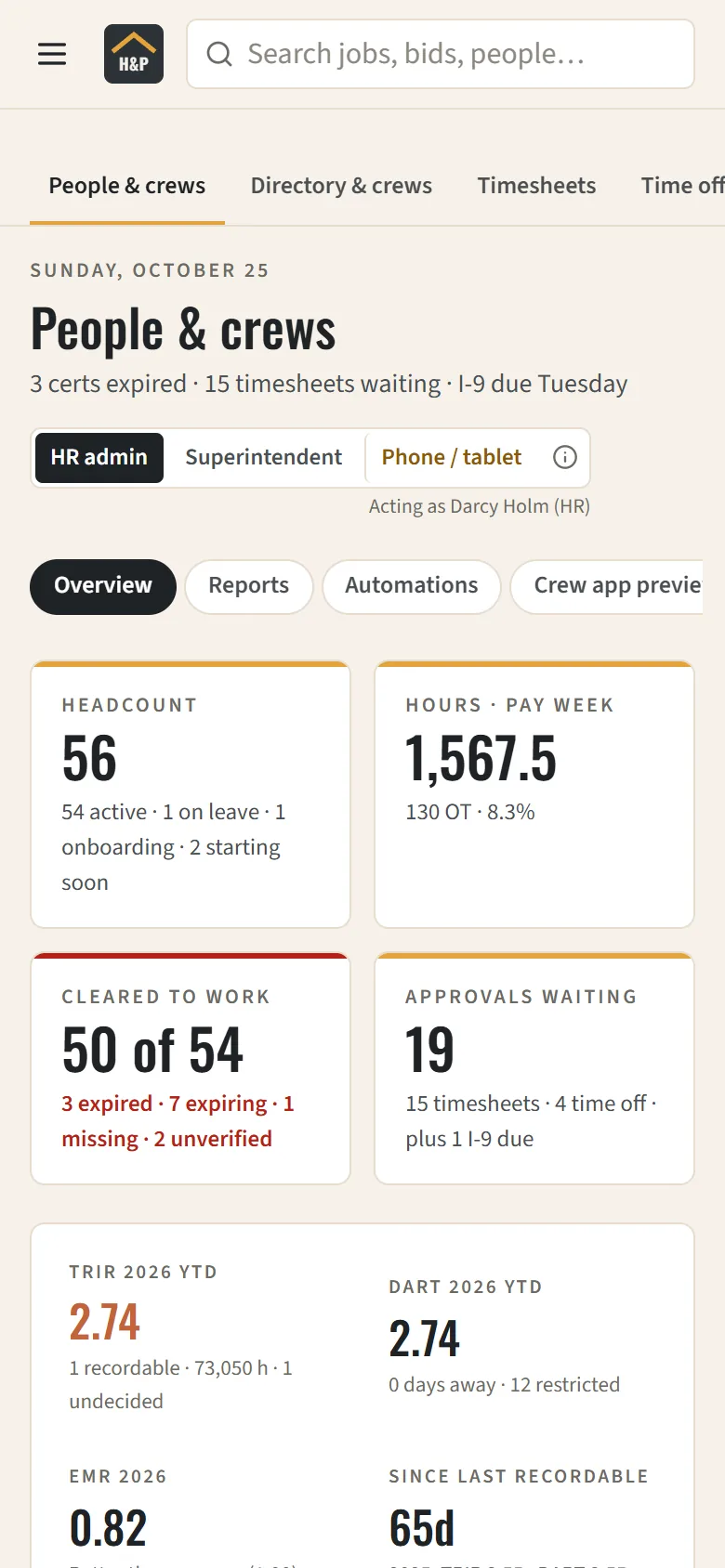
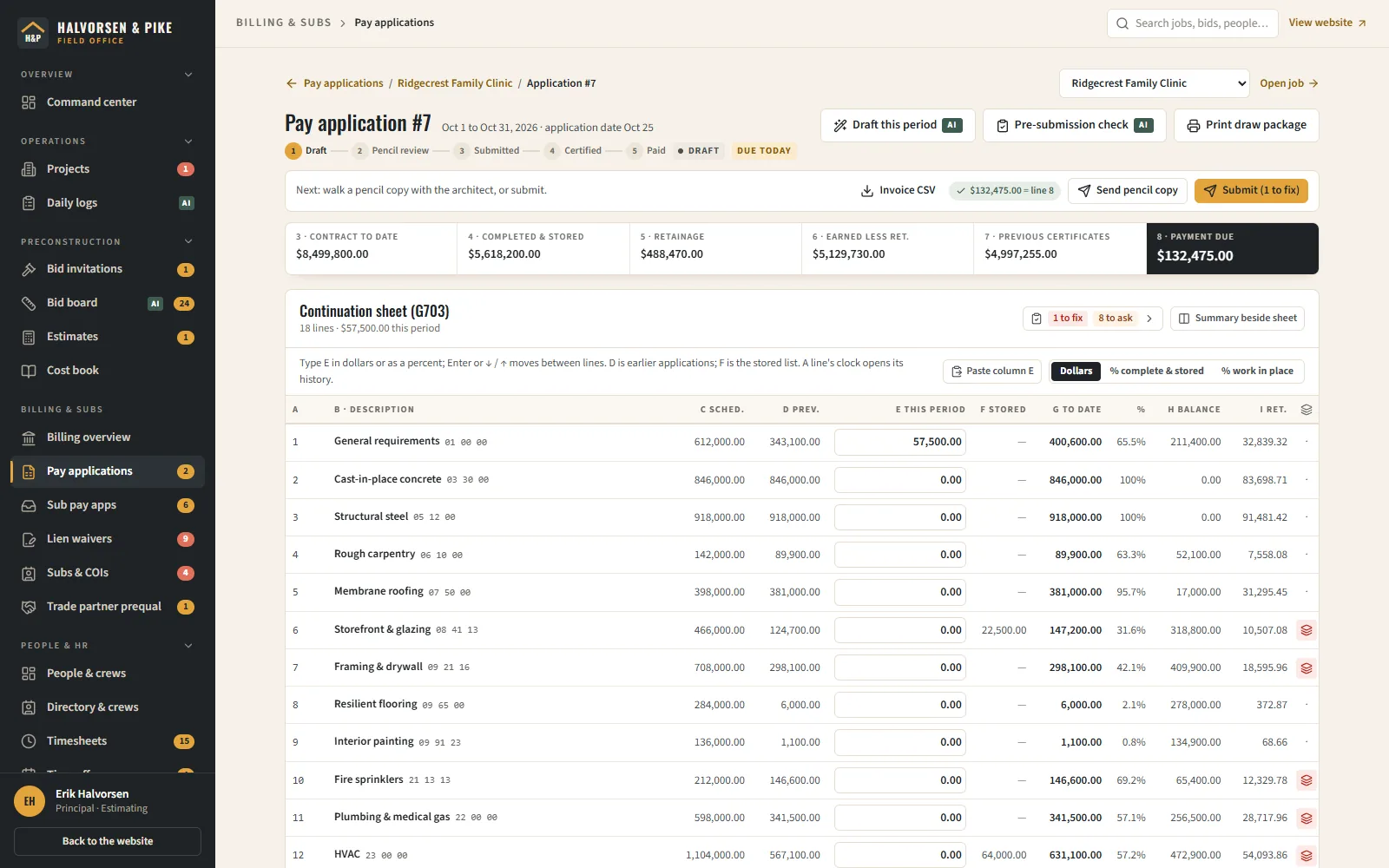
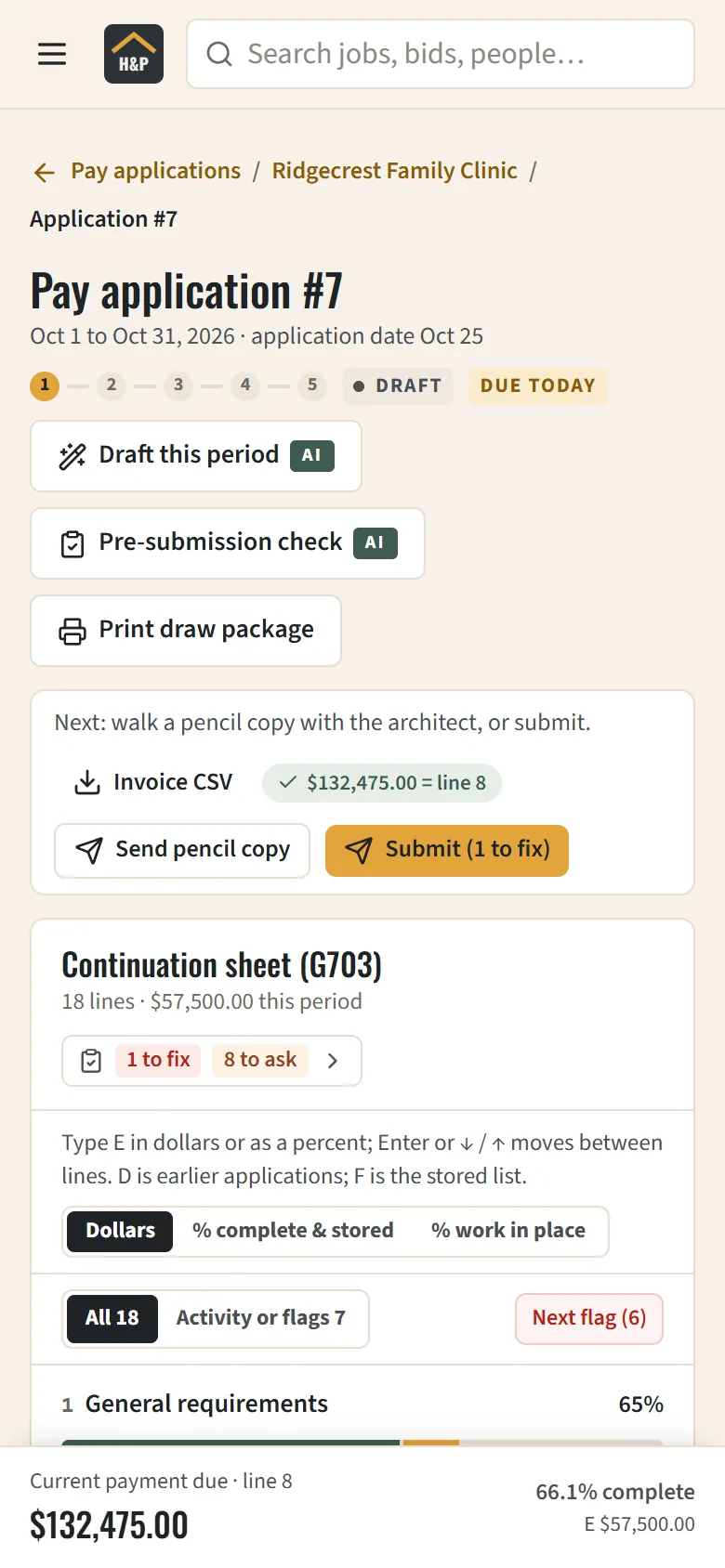
A contractor's day is bids, budgets, crews and getting paid. Here are four modules from our sample general contractor's back office, with real screenshots. Each one opens in the live demo.

AI drafts, people approve. Every AI result is marked as a draft and changes nothing until someone on your team accepts it.

Preconstruction

AI takes the first pass. Your estimator signs off.

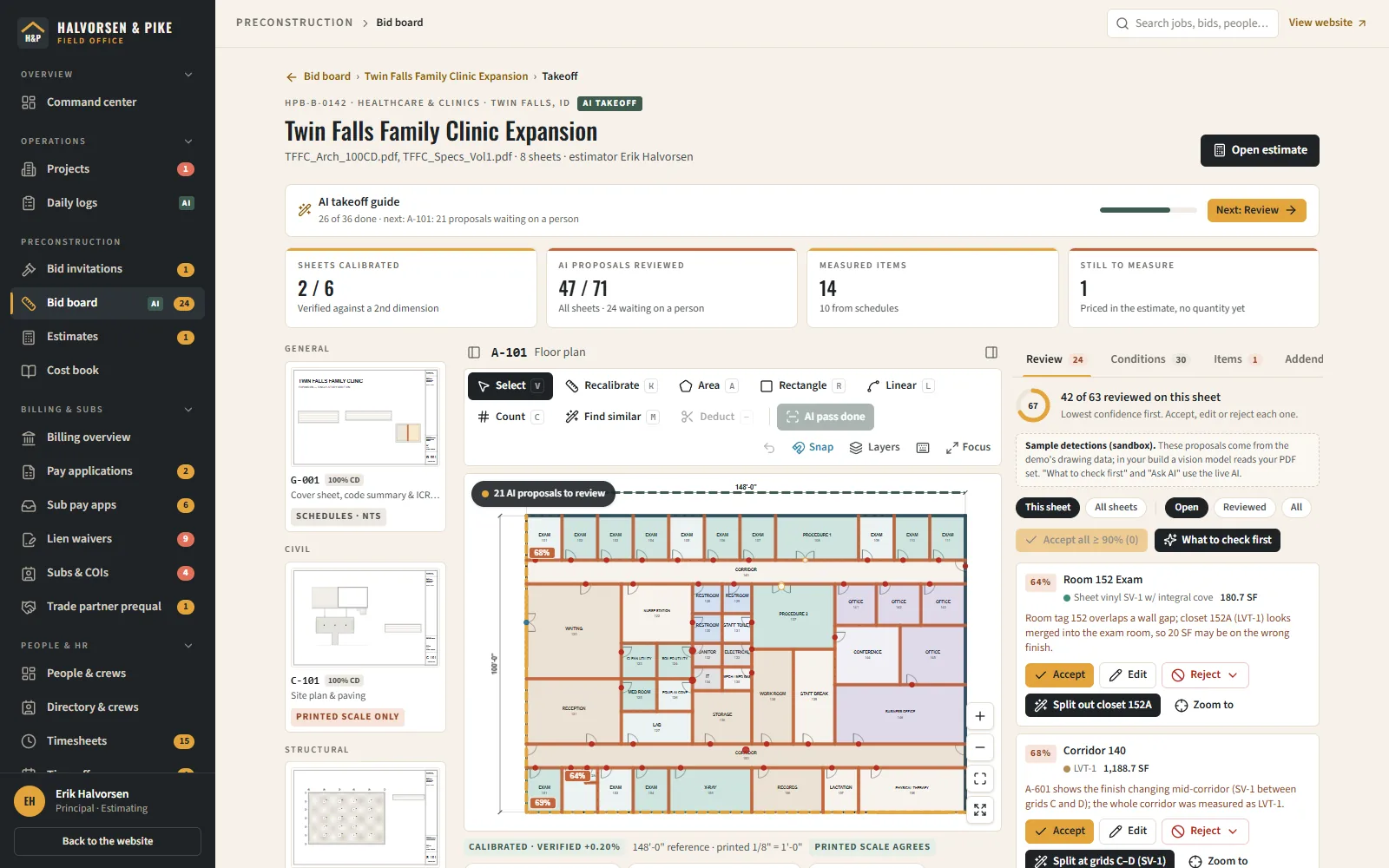
Load the plan set and AI proposes the quantities: rooms with areas, wall runs, door and fixture counts, slab and footing outlines. Each comes with a confidence score and a reason, and the least certain ones come first, so review time goes where it matters.

  • Sheet index by discipline, with each sheet's scale checked against a second dimension
  • AI proposals for areas, linear runs and counts, each pinned to its spot on the sheet
  • A review queue to accept, edit or reject every proposal, with one-click fixes for misses like merged rooms or doors counted twice
  • Manual area, linear, count and deduct tools for anything the AI skipped
  • Conditions tie quantities to cost-book items, so reviewed quantities price straight into the estimate
  • Ask the plans: plain-language questions about the drawings and specs
decrypted-tech.com
AI plan takeoff in the demo back office: an AI takeoff guide naming the next step, a floor plan with AI-proposed rooms and confidence scores, and a review queue with Accept, Edit and Reject on each proposal
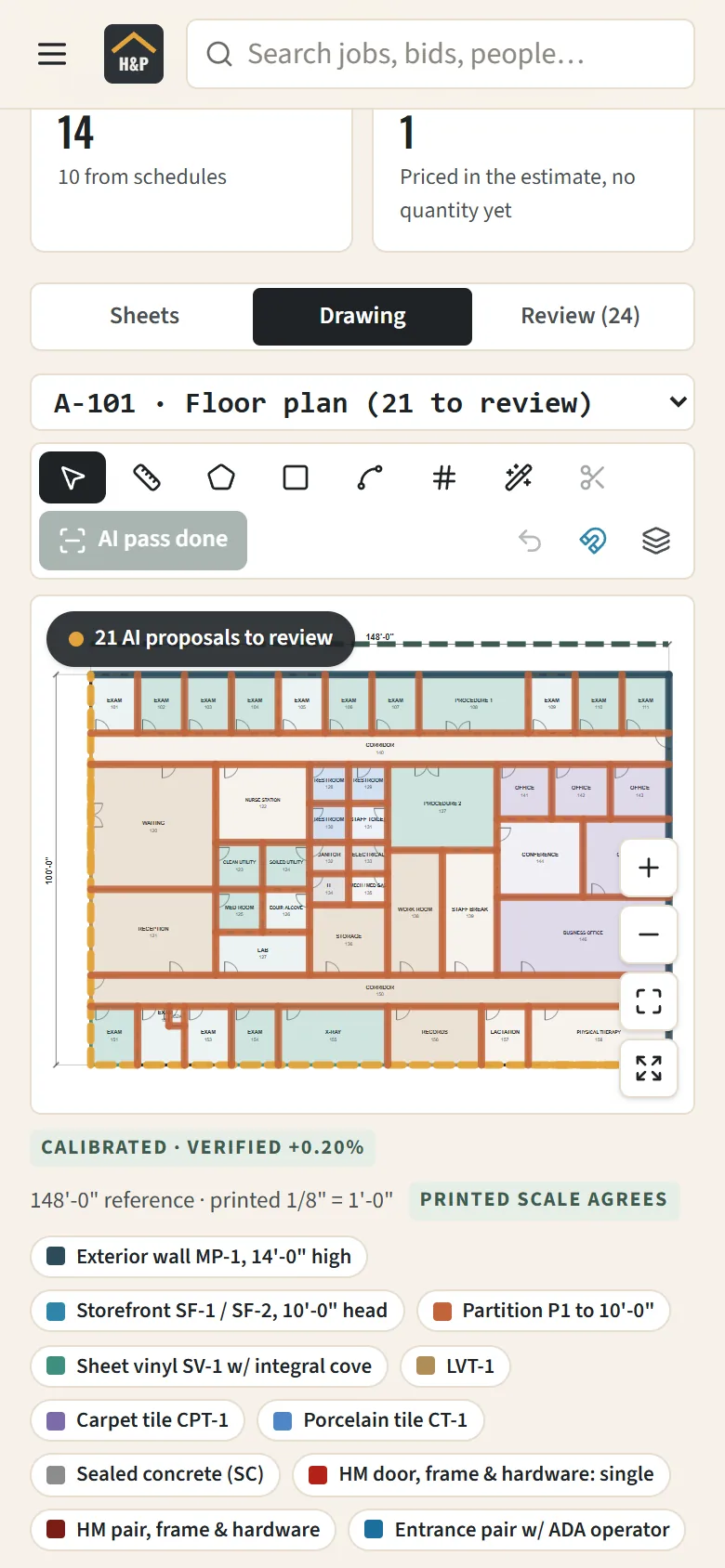
The same takeoff on a phone: the floor plan with 21 AI proposals to review, the drawing tools, and the sheet's verified scale

AI drafts

AI proposes measurements and flags what to check first.

A person approves

The estimator accepts, fixes or rejects each one. Nothing reaches the estimate unreviewed.

Try it in the demo: AI plan takeoffSandboxed in your browser. Nothing you do is saved.

One system, so nothing gets typed twice

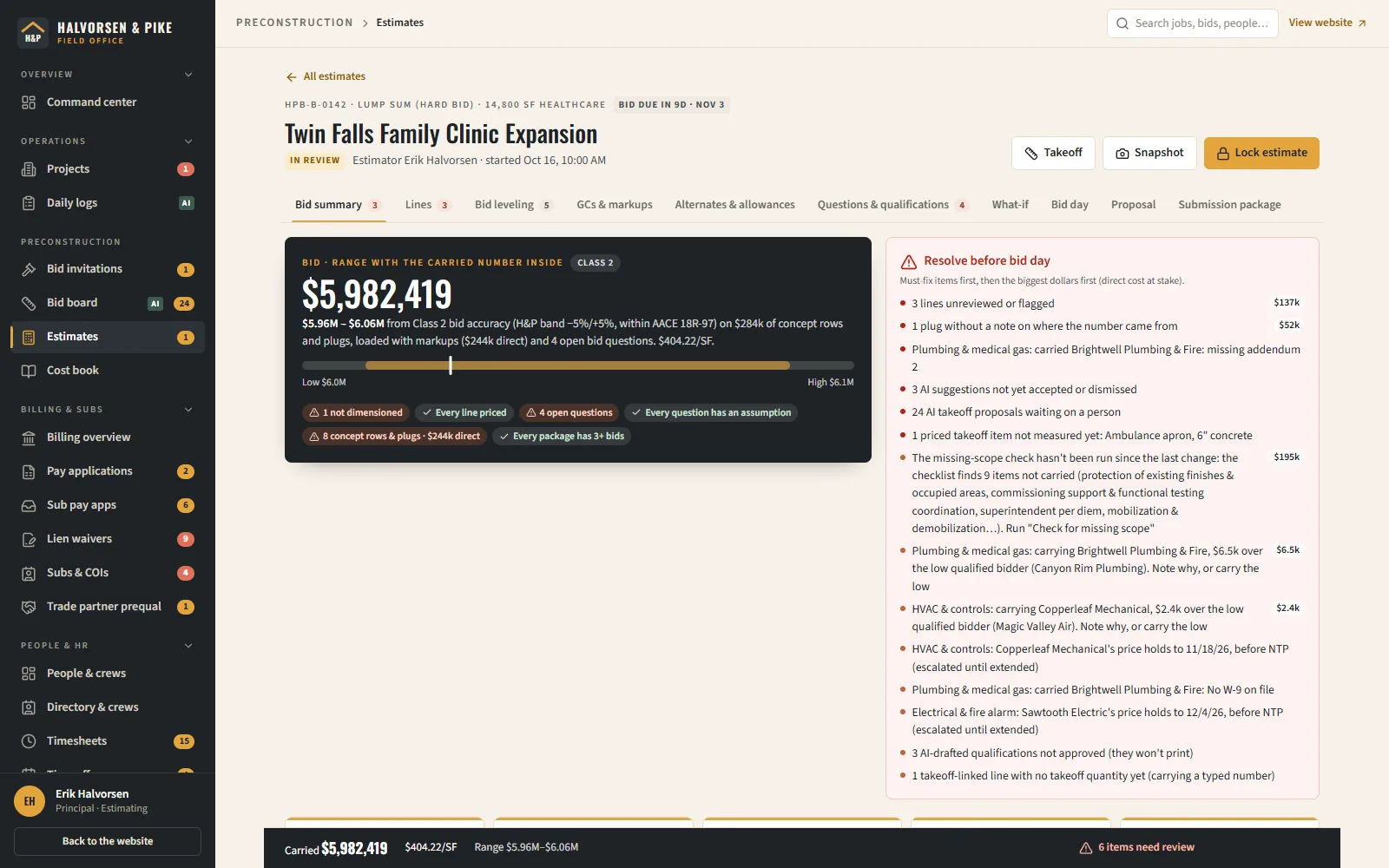
  1. Takeoff quantities price into the estimate
  2. On award, the estimate becomes the job budget and schedule of values
  3. Approved crew hours post to job cost
  4. Pay apps bill against the schedule of values

In the demo, when the live AI isn't available, AI buttons show a prepared sample answer, labeled as one. Halvorsen & Pike Builders and everyone in it are fictional.

Built and running

2 builds you can click through today

Real screenshots of real construction work, not mockups. Pick a build, then flip through its pages.

clearcreekdevelopments.com
Clear Creek Developments homepage hero: 'Built right. Built to last.' over a photo of a municipal fire station the company built
Homepage hero with two calls to action and a click-to-call phone number above the fold.
Clear Creek Developments

Live client build · Construction

Clear Creek Developments

Design-build, general contracting and construction management across Oklahoma since 2013.

Back-office screens the team works in
9
Things tracked on every job: schedule, budget, RFIs and more
10
Website pages Google can find
11
Emails sent in the company's own branding
4

Counted from the project itself. No invented outcomes.

Software built for real businesses

What we built for each business, and what it replaced

Every business got features made for the way it works, not a template. Each one does the job of software they would otherwise rent.

Live client build · Construction

Clear Creek Developments

Design-build, general contracting and construction management across Oklahoma since 2013.

6 tools built in
  • Marketing website

    Quote-request and bid-invitation forms

    Replaced

    • Wix
    • Squarespace
    • Jotform
  • Lead CRM

    Capture, status pipeline (new > contacted > quoted > won/lost), notes, instant email alert to the office, one-click convert of a won lead into a project

    Replaced

    • HubSpot CRM
    • Pipedrive
    • Buildertrend lead management
  • Bid invitation intake and tracking

    GCs/owners invite the company to bid; status tracked through to award

    Replaced

    • BuildingConnected Bid Board
    • ConstructConnect
  • Company directory of clients

    Subcontractors, vendors and design team, with COI expiry dates (GL/WC) and W-9 on-file tracking and expiration alerts

    Replaced

    • Procore Directory
    • myCOI
    • TrustLayer
  • Construction project management

    Schedule and timeline, budget by CSI cost code, subcontracts/POs with retainage and lien-waiver status, change orders, RFIs, submittals, daily logs, punch list, documents, inspections, with contract/committed/actual rollups per project

    Replaced

    • Procore
    • Buildertrend
    • JobTread
  • Sales reporting dashboard

    Lead and bid trend over time, pipeline funnel, project-type mix, by date range

    Replaced

    • HubSpot reports
    • Databox
See the build

What you get

Two halves of one system

Built for general contractors, design-build firms, concrete & site work, specialty trades. Your team runs the jobs on one half, your customers and new hires see the other, and they share the same data.

The website your customers see

  • Market and service pages built to rank for the work you want
  • Project portfolio with case studies
  • Bid-invitation and plan-room forms with file upload
  • Careers and subcontractor prequal forms that feed the back office

The back office your team runs on

  • AI plan takeoff: AI proposes areas, runs and counts on calibrated sheets; your estimator accepts, edits or rejects each one
  • Estimator on your own cost book: assemblies, crew rates, general conditions, markups, bid leveling and a print-ready proposal
  • Projects by CSI cost code: schedule, budget, change orders, RFIs, submittals, daily logs and punch lists
  • Pay applications in the G702/G703 format: schedule of values, retainage, stored materials, sub pay apps and lien waivers
  • People & HR: crews, timesheets to cost codes, certifications, time off, hiring, onboarding, reviews and safety training
  • Subs, vendors and design team with COI and W-9 expiry alerts and trade partner prequal

What it replaces

One login instead of a pile of subscriptions.

These are the tools businesses like yours usually rent for the same jobs. A construction build does the rest in one system, with no per-seat fees. The ones marked “you keep” stay with their provider, and we leave them out of the math. We'll connect to the ones worth keeping, like QuickBooks or Google Workspace.

In a typical construction & contractors stack (team of 12), the 7 tools a build replaces cost, at published list prices:

$14,436a year

$43,308 over three years, before price increases.

Run your own numbers

List prices checked October 2026. Every number is editable in the calculator, so the total is yours, not ours.

  • Construction project management

    • JobTread$199/mo
    • Buildertrendabout $419/mo (estimate; no public price)
    • Procoreabout $1,458/mo (estimate; no public price)
  • CRM & sales pipeline

    • Pipedrive$39/user/mo
    • HubSpot Starter$20/user/mo
  • AI takeoff & estimating

    • Togal.AI$299/user/mo
  • E-signature & proposals

    • DocuSign eSignature$30/user/mo
  • HR, hiring & payroll

    • BambooHR$250/mo
    • Gustoyou keep$80/mo
  • Website builder & hosting

    • Squarespace$29/mo
    • Wix$29/mo
    • Webflow$25/mo
  • Forms & surveys

    • Jotform$39/mo
  • Reporting & dashboards

    • Databox$199/mo

Also stands in for: PlanSwift, ProEst, GCPay, Textura, BuildingConnected, myCOI.

AI that assists your team

What AI takes off your plate in construction & contractors

Task by task, the old way next to how it works with us. AI drafts, reads and answers; a person on your team approves. Each task says whether it's running today or proposed.

Reading the bid set into a scope and material list

The old way

An estimator pages through the drawings, project manual, geotech report and addenda, copying footing schedules, slab and mix callouts, rebar and compaction requirements into a spreadsheet by hand.

With Decrypted Tech

The estimator uploads the set and AI drafts a scope inventory and material list. Every line quotes the sheet and wording it came from, the quote is checked against the PDF's text, and a click opens that page. The arithmetic is re-run in code, and anything that has to be measured is flagged for manual takeoff, never guessed. The estimator reviews each line before it is priced against the cost book.

Built, launching with the new sitein Lupi Construction

More AI we fit to this kind of business

  • Ask the plans

    Upload contracts, plans and spec books, then ask questions in plain English. Every answer cites the exact page and highlights the passage.

    Hours of flipping through 3,000-page spec books, gone.

    Running in Lupi Construction (built, launching soon)

  • AI plan reader & takeoffs

    Reads a bid set and drafts scope, materials and a cost roll-up against a cost book, ready for your estimator to check.

    A first-pass estimate the same day the bid set lands.

    Running in Lupi Construction (built, launching soon)

  • Estimate assistant

    Turns a customer's scope description into line items grouped by cost code.

    Faster bids without starting from a blank spreadsheet.

    Running in Halvorsen & Pike Builders demo

  • Daily-log summaries

    Rolls a week of field notes into an owner-ready progress report with delays and safety items called out.

    Owner updates write themselves.

    Running in Halvorsen & Pike Builders demo

How we use AI, and our guardrails

Free software stack audit

See what you could stop paying for

Send us your website and we'll list the subscriptions one custom system could replace, plus the everyday jobs AI could take off your plate.

  • Free, no strings
  • Reviewed by a real person

By submitting, you agree that Decrypted Tech may call or email you about your request. We never sell your information. Our Privacy Policy explains how we use it and your rights.

Try it yourself

Click through a working example

Halvorsen & Pike Builders is a complete sample business: the website, its back office and AI you can actually try. It runs in a sandbox in your browser, so nothing you do there is real or saved.

Three things to try

  1. Request a bid on the website, then open the Back office → Leads
  2. Back office → Bid board: open the clinic takeoff, calibrate a sheet, run the AI first pass, review it, then price it in the estimate, level the bids and print the proposal
  3. Open a project and ask the plans a question

Construction / general contractor

Halvorsen & Pike Builders

A contractor website that feeds a full project-management back office.

AI you can try

  • Ask the plans: answers from the specs with section citations
  • AI plan takeoff: proposes quantities on the drawings for an estimator to accept, then checks the estimate for scope gaps
  • Daily-log summarizer for owner updates
  • People & HR drafts from the system's own facts: cert-gap training plan, review draft, toolbox talk, write-up, job posting, applicant fit, and a card reader in the crew phone app (each answer is marked live AI or offline sample; people approve every one)
  • Pay app AI: drafts this period's G703 from the schedule, sub billing and daily logs for a PM to accept line by line, a pre-submission check, the cover email, payment reminders, and readers for pasted sub pay apps and lien waivers (rules re-check every read)

Questions

About construction builds

Something else on your mind? Send us a note and a real person will answer.

Is this a replacement for Procore or Buildertrend?

For many small and mid-size contractors, yes. We build the modules you actually use, shaped to your process, with no per-seat fees. If you're committed to a platform, we can integrate with it instead.

Can our field crews use it on their phones?

Yes. Every screen is built mobile-first so daily logs, photos and punch items can be entered from the job site.

Does the AI do our takeoffs and estimates for us?

No. It does the first pass and the checking: it proposes quantities with a confidence score, flags what to look at first, and drafts scope questions and clarifications. Your estimator accepts, edits or rejects every item, and nothing reaches a bid without a person signing off.

Can it handle our pay applications and lien waivers?

Yes. Pay apps bill from the schedule of values in the G702/G703 format, with retainage, stored materials and change orders calculated for you, sub pay apps checked against compliance and waivers, and a CSV export for your accounting system.

Tell us how your business runs.

We'll come back with a fixed-price proposal and a clickable preview of what we'd build for you, wherever you are in the U.S.

  • Our whole team works in the U.S.
  • Veteran-owned
  • Your data is stored in U.S. data centers
  • Custom code, built for your business
See how we work